
Email filtering fails executives for a simple reason: the cost of being wrong is asymmetric.
If a spam email lands in the inbox, it’s annoying. If a legitimate email is hidden, delayed, or silently dropped, it can become a missed board update, a lost deal, or a security incident.
Executives are uniquely exposed because they are:
- High-value targets for spear phishing and impersonation
- High-volume recipients of unsolicited inbound (vendors, PR, investors, event invites)
- Time-constrained, meaning they’ll trust automation if it claims to “handle” the inbox
The industry response has largely been “smarter algorithms”: probabilistic systems that guess what matters and what’s safe. That works—until it doesn’t. And when it fails, it fails quietly.
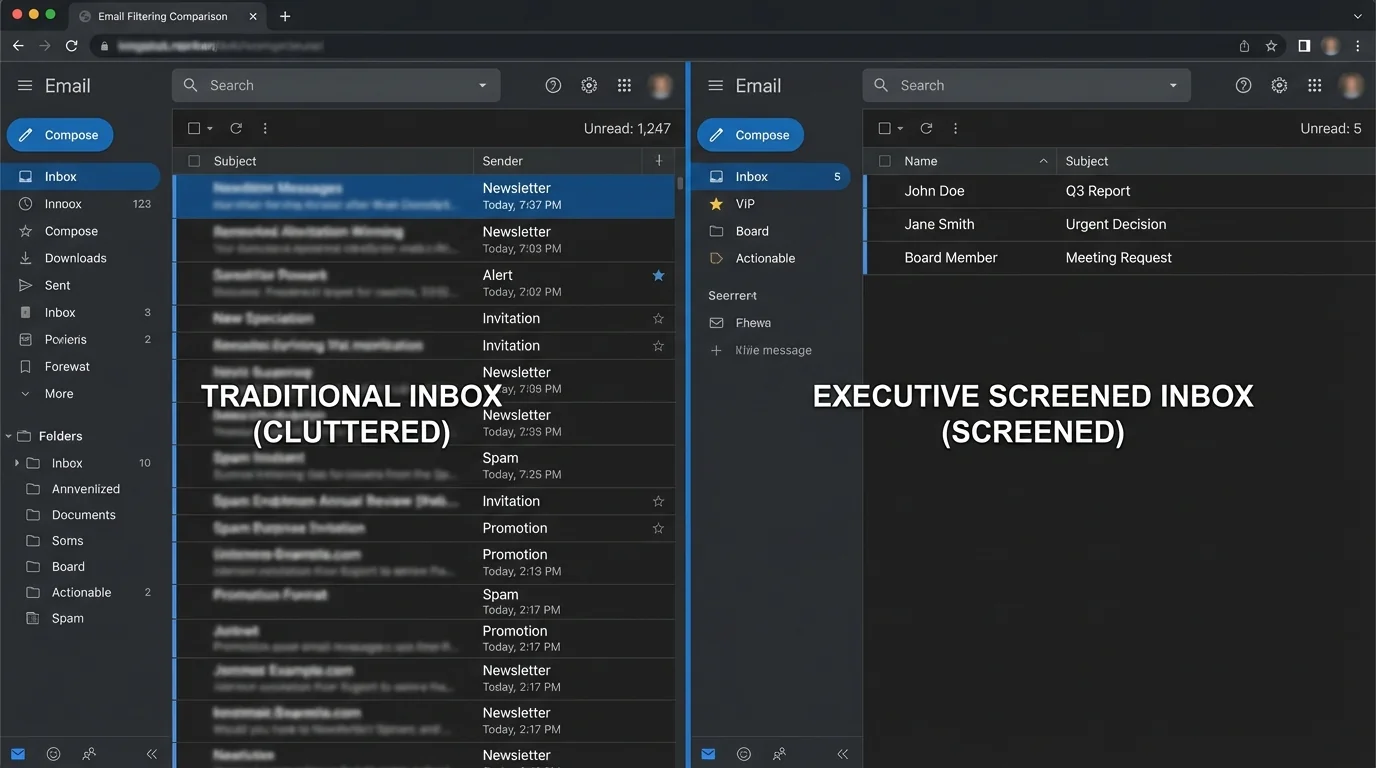
Executives don’t need an inbox that is sorted. They need an inbox that is screened.
1. The problem: why executives search for this
Filtering debates usually focus on accuracy in the abstract—precision/recall, spam catch rates, model quality. Executives experience it differently: trust and risk.
A probabilistic system might be “95% accurate,” but if the remaining 5% includes the one email that mattered today, the executive loses confidence and starts compensating with manual checks—turning “automation” into decision fatigue.
To make the trade-off concrete, consider false positives (legitimate emails incorrectly filtered). Even a “good” false-positive rate can be unacceptable at executive volume:
- If an executive receives 150 legitimate emails/day (~39,000/year)
- And filtering produces 1% false positives
- That’s ~390 legitimate emails/year that get misrouted, delayed, or buried
That’s not “edge case.” That’s a recurring operational failure.
The second driver is security anxiety. Many modern systems optimize for inbox cleanliness, not attack surface reduction. If a model is trained to prioritize “urgent,” “action required,” or “invoice,” it can accidentally amplify exactly what phishing campaigns imitate.
For executives, the most dangerous inbox is not the messy one—it’s the one that looks clean because risky messages were prioritized or hidden by automation.
2. Methodology breakdown
Below are four common methodologies, compared by engineering fundamentals.
Method 1: Manual rules and user-defined filters
How it works: You define deterministic conditions (sender, subject keywords, headers) and actions (move, label, delete).
Where it shines:
- Predictable behavior (when rules match)
- Low compute and no model training
- Great for stable, repetitive flows (e.g., receipts to a folder)
Where it fails:
- Rule brittleness: small sender changes break routing
- Rules interact and conflict over time
- Whitelists sometimes don’t override upstream scoring or provider heuristics
“Legitimate and important emails blocked… even after whitelisting… deactivated the filter.”
“Verification emails and legitimate newsletters blocked… had to disable the entire filter.”
Engineering verdict: Manual rules don’t scale with adversaries or organizational churn. The rule set grows toward combinatorial complexity (more exceptions, more overrides), and maintenance becomes a hidden tax. For executives, the real failure mode is not “it didn’t filter”—it’s “it filtered silently and no one noticed.”
Rule systems tend to fail by drift in the environment (new domains, new sending services, forwarded mail), not by bugs.
Method 2: Blacklisting and reputation blocking
How it works: Deterministic deny rules based on known-bad senders, domains, IPs, URLs, and reputation feeds.
Where it shines:
- Effective against known bulk spam sources
- Easy to deploy centrally
- Pairs well with authentication checks (SPF/DKIM/DMARC)
Where it fails:
- Reactive by design: you only block what you already know
- Fast-rotating attacker infrastructure outruns lists
- Collateral damage when shared infrastructure gets tainted
Engineering verdict: Blacklisting is a “patch Tuesday” approach to an always-on adversary. It’s useful as a baseline control, but architecturally it cannot be the primary defense for executive inboxes because it cannot guarantee delivery of legitimate mail or containment of novel threats.
Method 3: Probabilistic spam filtering (Bayesian / statistical ML)
How it works: The system computes a probability that a message is spam based on learned features (tokens, headers, reputation signals). Classic example: Bayesian classification.
Where it shines:
- Good generalization against new bulk spam variants
- Learns patterns without explicit rules
- Can reduce manual maintenance compared to pure rules
Where it fails:
- False positives are inevitable because decisions are probability thresholds
- Model drift: performance decays as campaigns evolve
- Poisoning/adversarial tactics can degrade signal (e.g., Bayesian poisoning)
- Limited explainability: users can’t predict or validate outcomes
“Missed an important email… only found it via search after a week.”
“Legitimate emails flagged as spam while junk flowed freely.”
Engineering verdict: Probabilistic filtering optimizes an aggregate metric (overall accuracy) across billions of messages. Executives need worst-case guarantees. Statistically, you can always tune thresholds—but you cannot eliminate the category error: it’s still a guessing system.
Probabilistic filtering is strongest when the cost of mistakes is symmetric. Executive email is the opposite: false positives and false negatives have very different business impact.
Method 4: AI “smart sorting” and priority inbox algorithms
How it works: ML systems classify mail into “important/not,” “focused/other,” or “priority” using behavioral signals, content cues, and interaction history.
Where it shines:
- Reduces visible clutter for average users
- Learns per-user behavior patterns
- Often requires no setup
Where it fails:
- Creates automation bias: executives trust the “focused” view
- Misclassification becomes invisible (messages aren’t deleted, just buried)
- Can amplify social engineering patterns (urgency, authority cues)
“Holding important messages hostage… only retrievable by search.”
“Phishing marked as priority due to content cues.”
Engineering verdict: Smart sorting is a UX optimization presented as a safety feature. Architecturally, it introduces a risky abstraction layer: executives stop reading the full inbound stream and rely on a model whose objective function is “engagement and predicted importance,” not “business correctness and risk minimization.”
In executive workflows, “Focused/Other” is effectively a silent routing policy—without the auditability and guarantees of a real policy engine.
3. Comparison table
The table below focuses on the metrics that map to real executive outcomes: false positives, time cost, maintenance burden, and security posture.
| Methodology | False Positives | Time Cost | Maintenance | Security |
|---|---|---|---|---|
| Manual rules | Medium–High (brittle exceptions) | Medium (triage + rule fixes) | High (rule explosion) | Medium (predictable but bypassable) |
| Blacklisting / reputation | Low–Medium (shared infra risk) | Low (when it works) | Medium (feed tuning, exceptions) | Medium (reactive, behind attackers) |
| Probabilistic spam filtering | Inevitable (threshold-driven) | Medium (spam folder checking) | Medium (retraining/tuning) | Medium–High (good bulk detection; poisoning risk) |
| AI smart sorting / priority | Medium (hidden misroutes) | High (search + missed items) | Low for user, high for provider | Medium (can amplify social engineering) |
4. The winner: strict allowlisting (invert the model)
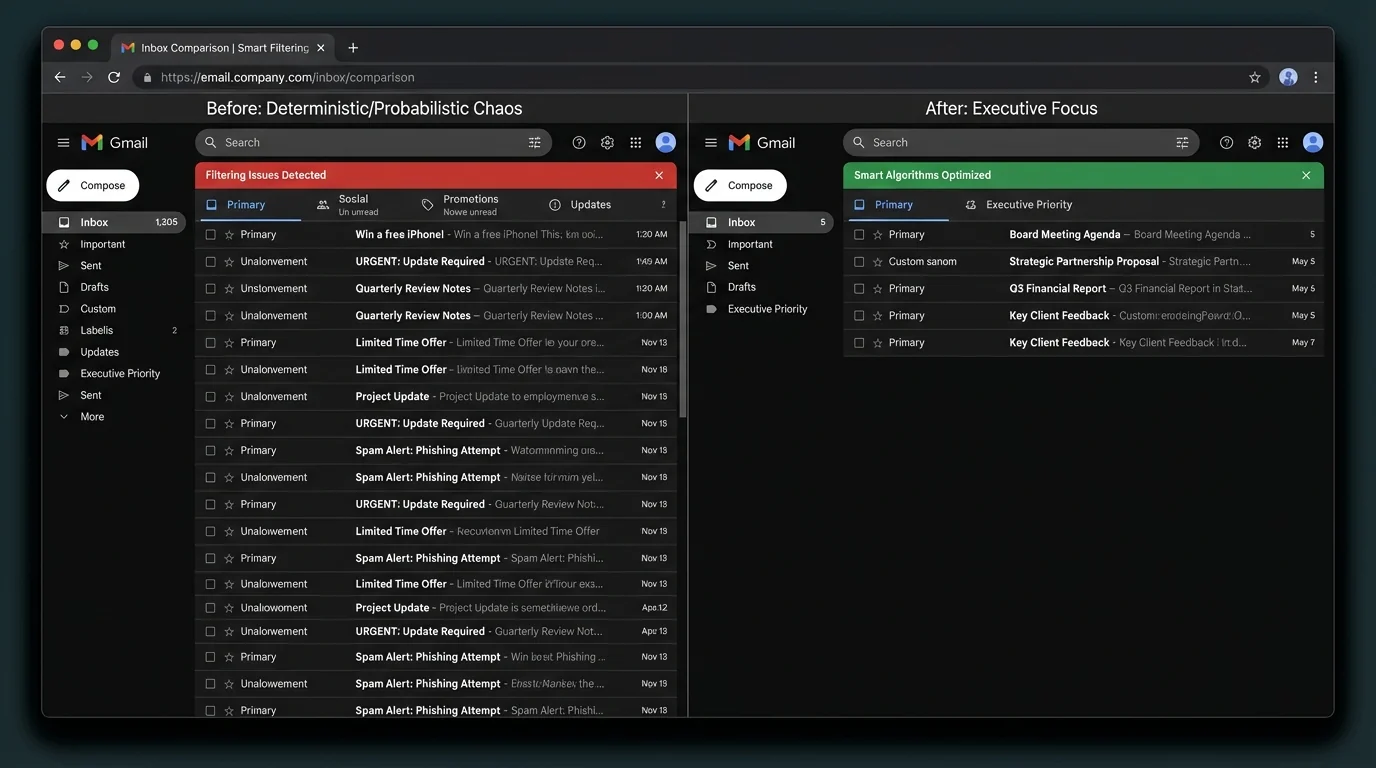
The executive-safe architecture is not “block bad.” It’s “only allow known-good.”
This is the inversion: stop treating the inbox as an open public endpoint. In security engineering terms, an open inbox is like exposing an admin panel to the internet and hoping your WAF is smart enough.
Strict allowlisting
How it works: Only messages from known/trusted senders are allowed into the primary inbox view. Unknown senders are routed to a separate holding area for deliberate review.
This methodology wins architecturally because it changes the problem from classification to identity and intent control:
- Deterministic outcome: known senders are delivered; unknown are contained
- Bounded risk: novel spam/phishing can’t reach the executive’s attention surface by default
- Lower cognitive load: the executive’s inbox becomes a high-signal channel
Why it outperforms probabilistic systems for executives
Probabilistic systems must constantly answer: “Is this message good?” based on incomplete signals.
Allowlisting answers a simpler and more reliable question:
- “Is this sender already trusted?”
That’s a state check, not a prediction.
The math of trust vs guessing
Assume:
- 60% of inbound is from known relationships (internal + ongoing external)
- 40% is outsiders (cold inbound, unknown vendors, unsolicited)
A probabilistic filter tries to correctly classify both groups, every time, under adversarial pressure.
A strict allowlist routes them deterministically:
- Known: inbox
- Unknown: holding pen
The result is fewer catastrophic failures:
- False positives against known senders approach zero (assuming contact hygiene)
- False negatives from unknown senders are contained by default
Where KeepKnown fits
KeepKnown implements strict allowlisting via an API-based email filter (server-level integration, not a mail client plugin). It moves non-contacts into a dedicated label/folder: “KK:OUTSIDERS.”
Security and privacy engineering details matter here:
- Uses OAuth2 with verified security posture (including CASA Tier 2 for Google environments)
- Stores encrypted hashes (no plaintext message storage)
- Works across Google Workspace/Gmail and Microsoft 365/Outlook
In other words: this is not “another algorithm that guesses better.” It’s an access-control model for your inbox.
If you want the implementation path, these guides map the methodology to real configuration steps:
- /blog/how-to-set-up-a-contact-only-email-filter-gmail/
- /blog/how-to-configure-strict-allow-listing-outlook-365/
And if you’re evaluating the security implications of smart sorting specifically:
- /blog/ai-email-sorters-executive-privacy-risk/
The executive experience benefits
This is where the “villains” show up in measurable ways:
- Algorithmic sorting creates hidden queues and missed messages
- Decision fatigue comes from repeated micro-decisions (“Is this important?”)
- Notification anxiety comes from untrusted senders having direct reach
Allowlisting reduces all three by shrinking the attention surface.
Treat your inbox like production access: default-deny for unknown principals, explicit allow for trusted ones.
To learn more about the model and deployment, start at https://keepknown.com.
5. When other methods still make sense
Strict allowlisting is architecturally superior for executive workflows, but it’s not universally optimal.
Manual rules are fine when
- You have low inbound volume
- Your inbound is stable (few new senders)
- You’re routing machine-generated mail (receipts, alerts)
Blacklisting/reputation is fine when
- You’re protecting a broad population where some spam in the inbox is acceptable
- You have a security team tuning global policies
- You want baseline hygiene paired with SPF/DKIM/DMARC enforcement
Probabilistic spam filtering is fine when
- The business risk of missed mail is low
- You can tolerate periodic spam-folder checks
- You want adaptive bulk-spam reduction as a convenience layer
AI smart sorting is fine when
- You treat it as a UI preference, not a trust boundary
- You still review all inbound channels or have an assistant doing full triage
If your workflow includes lots of legitimate cold inbound (e.g., public-facing recruiting, press inquiries), strict allowlisting can still work—but you must design an outsider-review process (assistant triage, scheduled review window, or a public intake form).
6. Verdict
Deterministic and probabilistic approaches fail in different ways:
- Manual rules and blacklists fail by maintenance burden and reactivity.
- Probabilistic spam filtering and AI sorting fail by opacity, threshold mistakes, and adversarial pressure—creating the worst executive outcome: silent misrouting.
For executives, the correct architecture is to stop guessing what’s bad and define what’s allowed.
Strict allowlisting (contact-first filtering) wins because it replaces probabilistic judgment with deterministic control, reduces attack surface, and eliminates the daily tax of “inbox roulette.”
If your goal is an executive-safe inbox—one that doesn’t rely on a model’s mood today—use a strict allowlisting approach such as the KeepKnown protocol (https://keepknown.com).