Gmail advanced search
Gmail search operators: complete advanced search guide.
Use Gmail operators for sender, subject, location, status, date, size, labels, and attachments—then combine them into searches you can verify.
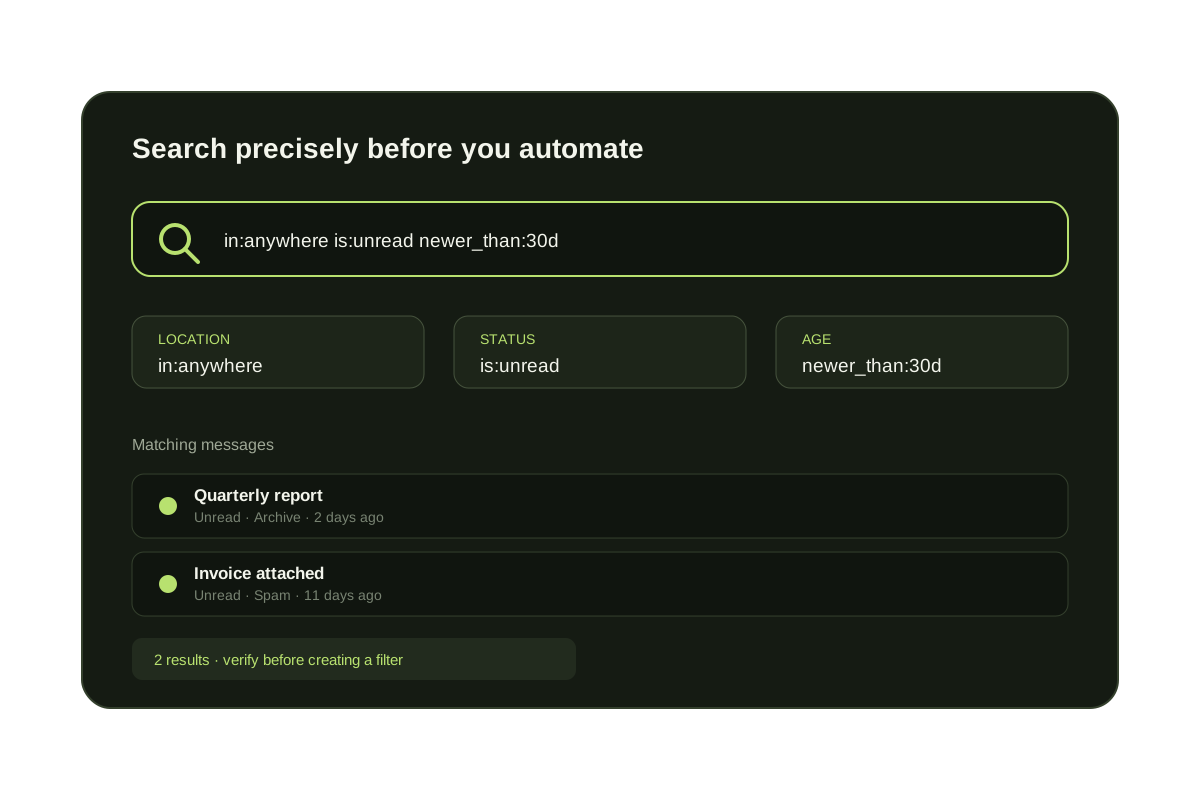
Gmail search operators are short commands that narrow search by sender, subject, location, unread state, attachment, date, and exact phrases. Start broad, then add operators until the result set is safe to review. Google's current operator list is available in its official Gmail search reference.
Operators can be combined in one query. Spaces behave like AND, braces or OR join alternatives, a minus sign excludes a term, and quotation marks keep an exact phrase together. Test complex searches before using them as the criteria for a filter.
Gmail search operator reference
| Operator | Finds | Example |
|---|---|---|
| from: | Messages from a sender | from:alex@example.com |
| to: | Messages sent to a recipient | to:billing@example.com |
| subject: | Words in the subject | subject:"quarterly report" |
| in: | Mail in a location | in:anywhere |
| is: | Mail by status | is:unread is:important |
| label: | Mail with a Gmail label | label:customers |
| has:attachment | Messages with attachments | has:attachment |
| filename: | Attachment name or type | filename:pdf |
| after: / before: | Mail inside a date range | after:2026/01/01 before:2026/02/01 |
| newer_than: | Mail newer than an age | newer_than:7d |
| older_than: | Mail older than an age | older_than:1y |
| larger: / smaller: | Mail by approximate size | larger:10M |
| deliveredto: | Mail delivered to an address | deliveredto:alias@example.com |
| { } or OR | Either of multiple terms | {from:alex from:sam} |
| - | Results without a term | -label:newsletters |
| " " | An exact phrase | "project northstar" |
Useful combined Gmail searches
from:alex@example.com subject:"invoice" has:attachment
Find invoices with attachments from one sender.
in:anywhere is:unread older_than:30d
Find unread mail older than 30 days, including archived mail, Spam, and Trash.
{from:alex@example.com from:sam@example.com} -label:done
Find mail from either sender unless it is already done.
in:inbox category:primary is:unread
Find unread messages currently in the Primary inbox tab.
has:attachment filename:pdf larger:5M newer_than:1y
Find recent large PDF attachments for storage cleanup.
Three search details that prevent surprises
Conversations can broaden exclusions
A conversation may appear when one message matches even if another message in the same thread meets an exclusion.
in:anywhere includes Spam and Trash
Use the operator deliberately when the visible inbox and All Mail are not broad enough.
Search before automation
A search result is the preview for a native Gmail filter. Inspect it before choosing Create filter.
Ongoing prevention
Search finds old mail; screening reduces the next backlog.
Gmail operators help you clean up existing mail. KeepKnown screens unknown senders before they create more unread inbox work.
Questions before you connect.
What are Gmail search operators?
They are search commands such as from:, subject:, in:anywhere, is:unread, older_than:, and has:attachment that narrow Gmail results.
Which Gmail operator searches all mail?
Use in:anywhere when you need Gmail to search beyond the visible inbox, including archived mail, Spam, and Trash.
How do I combine Gmail search operators?
Place operators in the same query for AND logic, use OR or braces for alternatives, use a minus sign to exclude, and quote exact phrases.
Can Gmail search operators be used in filters?
Many search criteria can be used to create a filter. Run the search first and inspect the matches before saving any automatic action.
Gmail search cleanup
Find old outsider mail, then stop the next backlog.