Microsoft 365 allow-list
Outlook whitelist-only mode, without a destructive block.
Outlook capabilities vary by account and app. Compare native safe-sender controls with KeepKnown's contact-based, recoverable routing.
Outlook does not have one identical whitelist-only switch across every product. Outlook.com, new Outlook, classic Outlook, and organization-managed Microsoft 365 mailboxes expose different combinations of Safe Senders, trusted contacts, inbox rules, junk settings, and administrator controls.
Microsoft documents that contacts can be treated as safe senders in supported Outlook versions. Its Safe Senders guidance also explains important differences for Exchange and Exchange Online. Confirm the account type before applying a strict workflow.
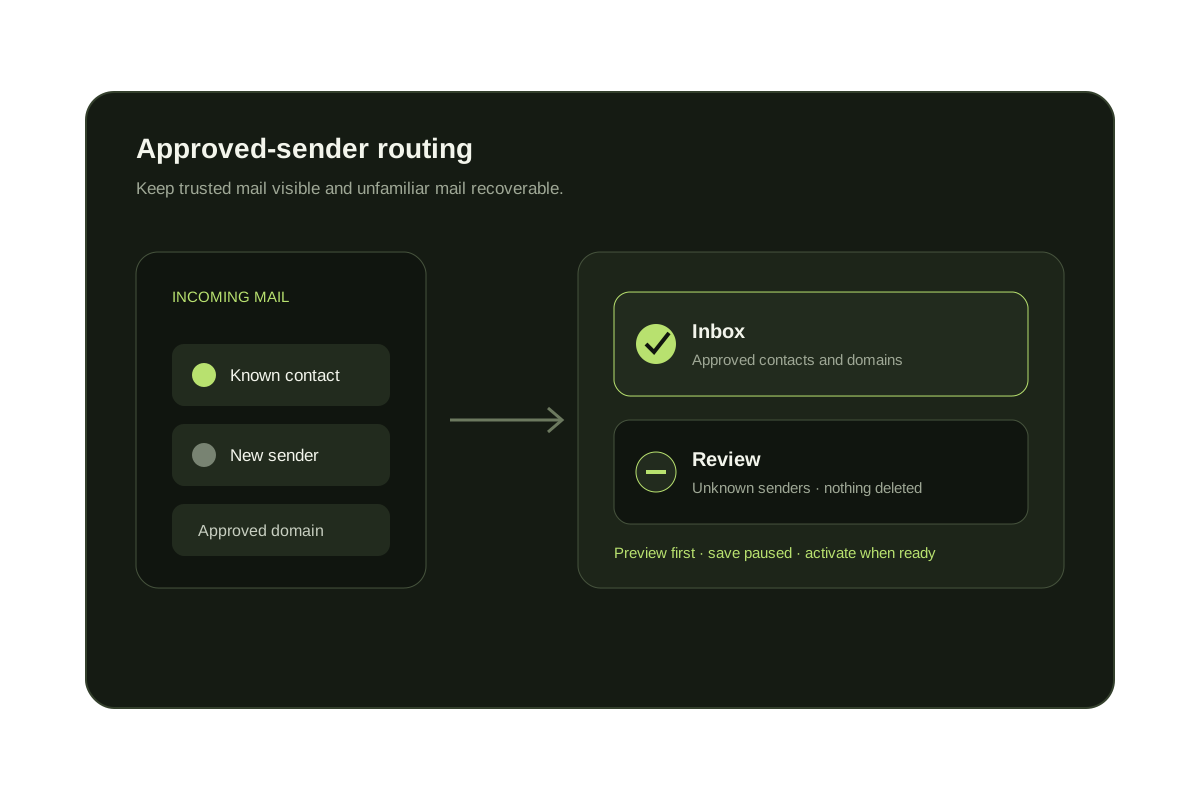
KeepKnown adds a separate relationship-based layer: approved contacts and domains remain visible while non-approved senders move into a recoverable review area. The message is not permanently blocked or deleted.
Short answer
Choose the control that matches your Outlook environment.
Use Safe Senders and native rules where they are available and centrally supported. Use KeepKnown when the workflow needs recoverable routing, contacts, VIP domains, previews, and an explanation for every match.
Outlook allow-list controls by environment
| Environment | Native controls to check | Important caveat |
|---|---|---|
| Outlook.com | Safe senders and domains, blocked senders, inbox rules | Safe senders prevent trusted mail from being treated as junk |
| New Outlook for Windows | Safe senders, blocked senders, rules | Available controls depend on the connected account type |
| Classic Outlook | Junk Email Options, contacts, Safe Senders | Exchange Online may apply server-side filtering separately |
| Managed Microsoft 365 | Inbox rules plus organization policies and mail-flow controls | Coordinate with the administrator before strict enforcement |
A recoverable approved-sender workflow
Connect Outlook
Authorize KeepKnown with Microsoft so it can apply contact-based screening.
Confirm trusted senders
Use contacts, approved domains, prior correspondents, and VIP groups for people who should reach the inbox.
Screen everyone else
Preview the matches, save the filter paused, then route unfamiliar senders to a review area when it is ready.
Questions before you connect.
Can Outlook run in whitelist-only mode?
Some Outlook environments support strict junk-mail settings, trusted contacts, Safe Senders, or administrator policies. The exact controls depend on the account type and Outlook version.
Does KeepKnown support Outlook and Microsoft 365?
Yes. KeepKnown supports Outlook and Microsoft 365 inboxes connected with Microsoft authorization.
What happens to non-approved Outlook senders?
They are routed away from the main inbox for review instead of being permanently blocked or deleted.
Is this the same as a spam filter?
No. Spam filters judge message risk. Contact-based allow-listing checks whether the sender is trusted.
Are Outlook contacts automatically safe senders?
In supported Outlook versions, contacts can be treated as safe senders. Behavior can differ for Exchange and organization-managed accounts, so confirm the mailbox and policy configuration.
Outlook allow-list
Route non-approved senders without permanent blocking.