Privacy and trust
How KeepKnown handles your email: headers in, bodies untouched.
KeepKnown decides where a message goes from its sender and header metadata plus your contacts. Screening does not download message bodies. Contact lookups use per-user HMAC-SHA256 tokens, subject lines and sender copies are stored encrypted, and OAuth credentials are encrypted. Two optional features read or send more, and they are described below.
Last updated
This page describes what the KeepKnown application does today, based on its code. It is not a certification and it does not replace the privacy policy, which governs your data. Where a feature reads or sends more than screening does, it says so.
Short answer
Screening reads who a message is from, not what it says.
For Gmail, KeepKnown requests message headers and attachment markers through a field mask that leaves out message body data. For Outlook it selects metadata fields and no body field. The sender is compared with your contacts using keyed hashes, and nothing is deleted.
What screening fetches
Gmail: headers and attachment markers
Messages are requested with a field list that returns headers, labels, dates and attachment identifiers, and no body content.
Outlook: metadata fields
The Microsoft Graph request selects subject, sender, recipients, dates, folder, categories, headers, importance and whether there is an attachment. It does not select the body.
Your contacts
Google Contacts and Other contacts (read-only) or Outlook contacts are read to decide who counts as known.
What KeepKnown stores and how
| Data | How it is stored |
|---|---|
| Contact and sender addresses used for matching | A per-user HMAC-SHA256 lookup token, not the plain address. |
| Sender address and display name, for views you open | An encrypted copy using your per-user key. |
| Message subject lines | Encrypted with your per-user key. Decrypted in memory to evaluate subject rules and show previews. |
| Message bodies | Not fetched by screening, so not stored. |
| Google and Microsoft sign-in credentials | Encrypted with AES-GCM before they are written to the database. |
| Your per-user encryption key | Wrapped with AES-GCM using an application master key that is not kept in the database. |
Where more data is involved
Plain-English rules use OpenAI
When you draft a rule in English, your instruction, any clarification answers and the list of supported rule options are sent to OpenAI to translate and double-check the rule. If you type an address or domain, it is included. Mailbox samples, bodies, attachments and credentials are not sent. Requests ask OpenAI not to store the response.
Bulk unsubscribe is optional
Where it is enabled, it scans headers of up to 300 recent messages for unsubscribe links and stores sender name, address and a sample subject, unencrypted, for the list you review. It sends a request only for senders you select, to the address or link the sender published. Email-based requests need the Gmail send permission, which is requested only when the feature is on.
One check does read message content
About a minute after an email-based unsubscribe is sent, KeepKnown searches the last day of your mail for a bounce notice mentioning that address and reads the matching messages in full, in memory, to see if the request bounced. Nothing from them is saved except the resulting status.
Permissions
The permission is broader than what screening does.
Google's gmail.modify and Microsoft's Mail.ReadWrite permissions allow reading and changing mail, because labeling and moving messages needs write access. The screening code requests headers only. You can revoke access in your Google or Microsoft account at any time, and the privacy policy explains how to delete your data.
Check it yourself
- Open your Google or Microsoft account's third-party access page and review the permissions KeepKnown holds.
- Run the free audit, which counts unknown senders and changes nothing.
- After connecting, review the activity log to see where each message was routed.
- Disconnect the inbox in KeepKnown or revoke access in your provider account whenever you want to stop.
Nothing is deleted
Try screening with the free audit first.
The audit counts senders outside your contacts using metadata only and does not change your inbox.
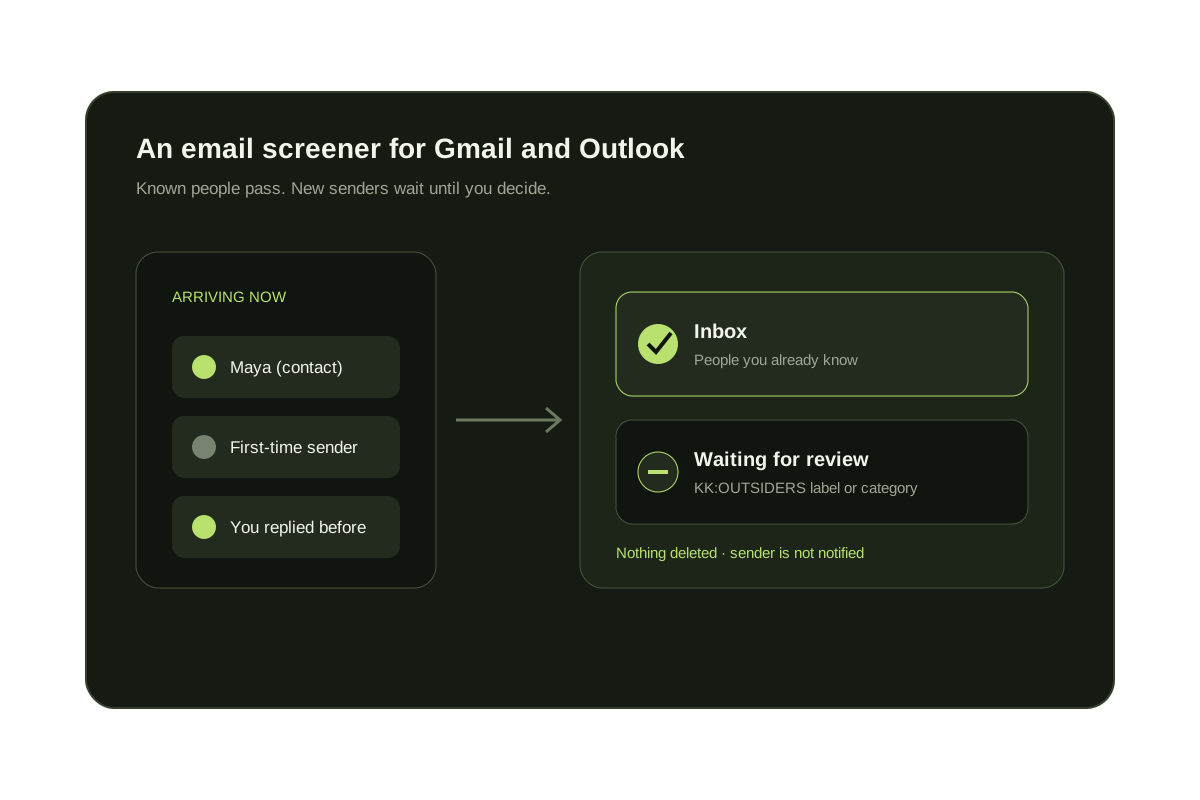
Screening moves mail to a label. It never deletes.
Questions before you connect.
Does KeepKnown read my emails?
Screening does not download message bodies. For Gmail it requests headers and attachment markers, and for Outlook it selects metadata fields. The one exception is the bounce check after an email-based bulk unsubscribe, which reads a few matching messages in memory.
Does KeepKnown store my contact list?
Contacts are matched with per-user HMAC-SHA256 tokens instead of plain addresses. An encrypted copy can be kept so screens you open can show names, and it is encrypted with your own key.
Are subject lines stored?
Yes, encrypted. They are decrypted in memory to evaluate subject rules and to preview a new rule against recent messages, and they are kept with your account as the privacy policy describes.
What does the AI rule builder send to OpenAI?
Your written instruction, your answers to follow-up questions and the list of supported rule options. Addresses you type into the instruction are part of it. KeepKnown does not send mailbox samples, message bodies, attachments or credentials, and it asks OpenAI not to store the response.
Can KeepKnown delete or send email for me?
Screening only labels and moves mail, and the rule builder rejects delete requests. Sending happens only in the optional bulk unsubscribe feature, after you pick senders, and goes to the unsubscribe address the sender published.
Does KeepKnown have a security certification?
This page does not claim one. The privacy policy states that KeepKnown's use of Google user data follows the Google API Services User Data Policy, including the Limited Use requirements.
How do I remove my data or revoke access?
Disconnect the inbox in KeepKnown, revoke access from your Google or Microsoft account, or delete your account. The privacy policy and hello@keepknown.com explain data export and deletion.
Privacy first
Headers and contacts decide. Bodies stay untouched.