Honest comparison
SaneBox alternatives: choose by how you want strangers handled.
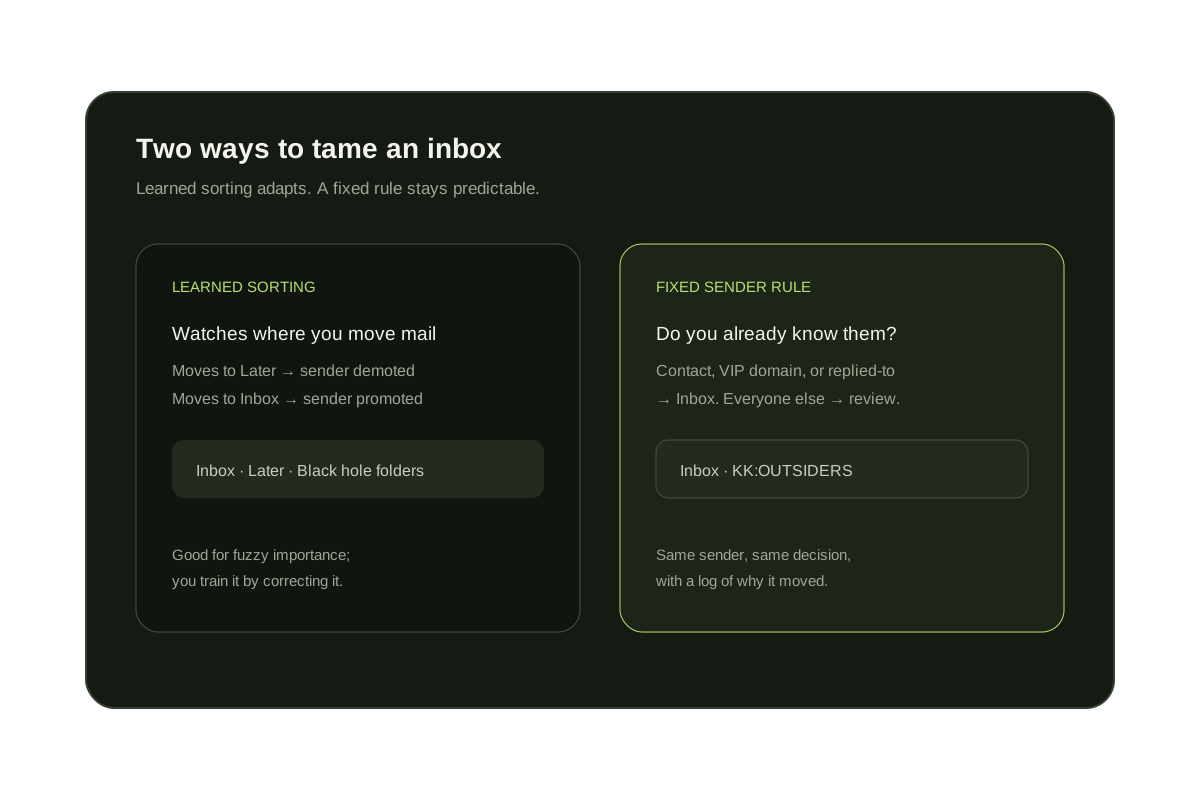
SaneBox learns which senders matter from how you move mail, then files the rest into folders such as SaneLater. If you want a fixed rule instead of a learned one, KeepKnown keeps people you know in the inbox and moves everyone else to a review label, from $12.99 a month. Clean Email, Spark, and HEY take different approaches, compared below.
Last updated
We make KeepKnown, so read this as a comparison written by a competitor. Feature descriptions for other tools come from their own help pages, including SaneBox's SaneScreener guide, Clean Email's Screener guide, Spark's Gatekeeper guide, and HEY's Screener guide. Prices were read from each vendor's pricing page on October 8, 2026 and can change.
The biggest difference is how decisions are made. SaneBox learns from your behavior. KeepKnown applies a rule you can read: known senders pass and unknown senders wait. Spark and HEY build screening into their own email apps.
Short answer
Which SaneBox alternative fits?
Choose KeepKnown if the problem is strangers and cold outreach in Gmail or Outlook. Stay with SaneBox if you want learned sorting, reminders, and digests on any IMAP account. Pick Spark or HEY if you are happy to change email apps, and Clean Email for bulk cleanup.
SaneBox and alternatives at a glance
| Tool | Approach | Unknown senders | Works with | Price (checked October 8, 2026) |
|---|---|---|---|---|
| SaneBox | Learns importance from where you move messages | Optional SaneScreener folder for first-time senders | Gmail, Outlook, and other IMAP accounts | Snack, Lunch, and Dinner plans; cheaper billed yearly |
| KeepKnown | Fixed rule: contacts, VIP domains, and people you have replied to | Moved to KK:OUTSIDERS; nothing deleted | Gmail, Google Workspace, Outlook, and Microsoft 365 | Founder $12.99/month; Executive Pro $29.99/month |
| Clean Email | Bulk cleanup by sender and type, plus rules | Optional Screener quarantine for new senders | Gmail, Outlook, Yahoo, iCloud, and IMAP | Free tier up to 1,000 emails; Premium for Screener |
| Spark | Email app with a smart inbox | Gatekeeper asks you to accept or block new senders | Most providers, inside the Spark app | Spark Plus: $10/month or $99/year per user |
| HEY | Separate email service built around The Screener | First-time senders wait until you screen them in | A HEY address; Gmail by forwarding | HEY for You: $99/year |
| Gmail filters | Rules you write by hand | Cannot detect first-time senders | Gmail only | Free |
Learned sorting, fixed rules, and screening apps
Learned sorting (SaneBox)
Adapts to your habits. You correct it by moving messages, and it remembers the sender for next time.
Fixed rule (KeepKnown)
The same sender always gets the same decision, and the decision log shows why a message moved.
Screening apps (Spark, HEY)
Screening is part of the app, so you get the full experience when you read mail there.
Measure the problem first
Count the strangers already reaching your inbox.
The free Gmail audit shows how many senders outside your contacts reach you, using metadata only. It changes nothing.
No inbox changes during the audit.
Questions before you connect.
What is the best SaneBox alternative for Gmail?
It depends on the job. For keeping strangers and cold outreach out of the inbox, a contact-based screener like KeepKnown is the closest fit. For clearing a large backlog, Clean Email. For a new email app with screening built in, Spark or HEY.
Is there a free SaneBox alternative?
Gmail and Outlook filters are free and handle predictable senders and keywords, but they can't detect first-time senders. KeepKnown's inbox audit is free and shows how many unknown senders reach you.
How much does KeepKnown cost compared with SaneBox?
KeepKnown costs Founder $12.99/month or $99.99/year (1 inbox); Executive Pro $29.99/month or $229.99/year (up to 3 inboxes). SaneBox sells Snack, Lunch, and Dinner plans that differ by accounts and features; check sanebox.com for current prices.
Does KeepKnown learn like SaneBox?
No. KeepKnown applies the rule you set: known senders pass and unknown senders move to review. You change the outcome by adding contacts, VIP domains, or approving senders, not by training it.
Does KeepKnown work with Outlook like SaneBox does?
KeepKnown supports Outlook and Microsoft 365 inboxes connected with Microsoft authorization. SaneBox also supports other IMAP providers, which KeepKnown does not.
SaneBox alternative
A fixed, readable rule for strangers in Gmail and Outlook.