Email screener
An email screener for Gmail and Outlook: known people in, strangers wait.
An email screener sends mail from people you already know to your inbox and holds everyone else for review. Gmail has no built-in screener, and Outlook.com offers Sender Screening only for personal accounts. KeepKnown adds a screener to Gmail, Google Workspace, Outlook, and Microsoft 365 that checks your contacts, VIP domains, and past replies, and deletes nothing.
Last updated
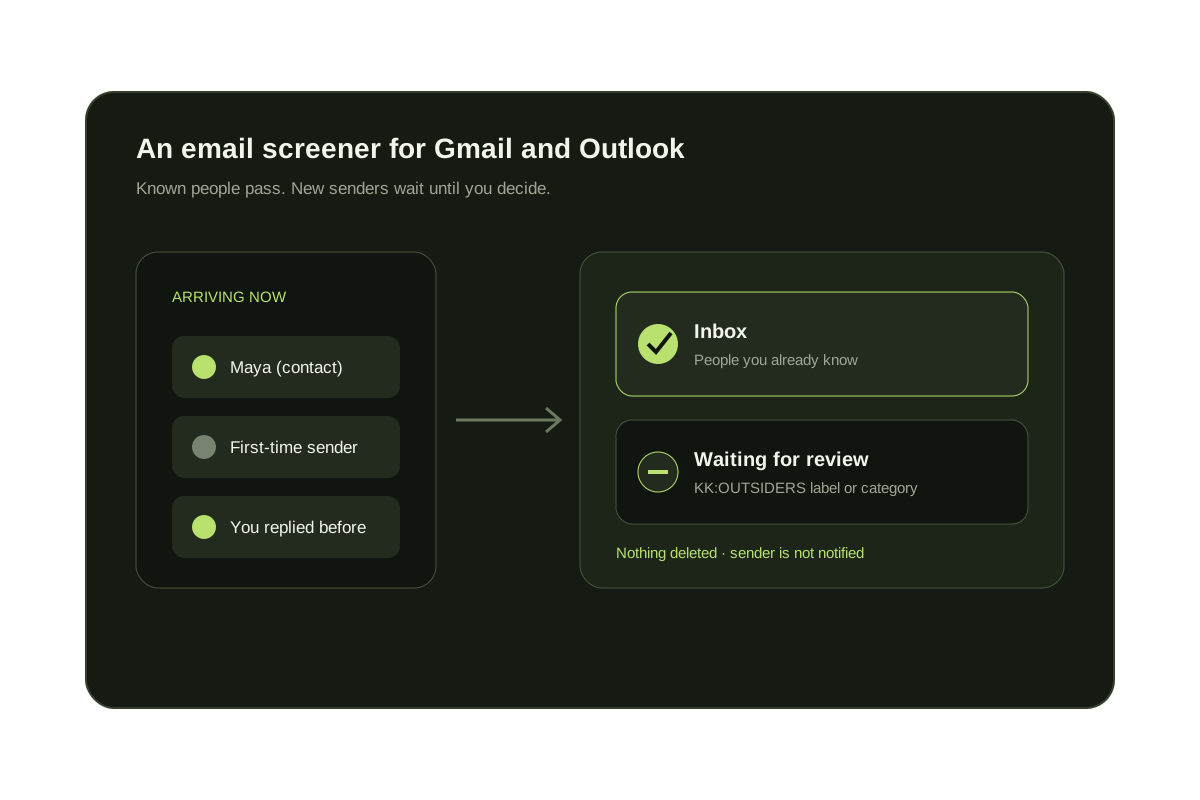
A screener answers one question for every message: do you already know this sender? If yes, the message reaches the inbox. If not, it waits somewhere you can review it. HEY made the idea popular with The Screener, and Clean Email, SaneBox, and Spark now offer their own versions.
KeepKnown's screener decides from relationships you already have: Google or Outlook contacts, VIP domains you approve, and people you have replied to. Everyone else moves to KK:OUTSIDERS, a label in Gmail and a category in Outlook. The decision uses sender metadata, not the message body. KeepKnown costs Founder $12.99/month or $99.99/year (1 inbox); Executive Pro $29.99/month or $229.99/year (up to 3 inboxes).
Short answer
What is an email screener?
A tool that lets people you know reach your inbox and holds first-time or unknown senders for review instead of deleting them. Unlike a spam filter, it decides by who sent the message, so it also catches polite cold outreach and newsletters you never signed up for.
Email screeners compared
| Screener | Works with | How it decides | Where new senders wait | Price (checked October 8, 2026) |
|---|---|---|---|---|
| KeepKnown | Gmail, Google Workspace, Outlook, Microsoft 365 | Contacts, VIP domains, and people you have replied to | KK:OUTSIDERS label or category | Founder $12.99/month; Executive Pro $29.99/month |
| Clean Email Screener | Gmail, Outlook, Yahoo, iCloud, and IMAP accounts | Holds senders who have never written to you | A quarantine you review in Clean Email | Premium plan; 14-day free trial |
| SaneBox SaneScreener | Gmail, Outlook, and IMAP accounts | First message from a new sender; you train it by moving mail | A SaneScreener folder in your account | Paid plans; see sanebox.com/pricing |
| HEY The Screener | A HEY address; Gmail only by forwarding | First-time senders wait until you screen them in or out | The Screener inside HEY | HEY for You: $99/year |
| Spark Gatekeeper | Most providers, inside the Spark app | Asks you to accept or block each new sender | A New Senders list in Spark | Spark Plus: $10/month or $99/year per user |
| Outlook Sender Screening | Outlook.com personal accounts | Senders not on your allowed or blocked lists | Grouped at the top of the inbox | Included free |
How KeepKnown screens your inbox
- Run the free audit to see how many unknown senders reach you now.
- Connect Gmail, Google Workspace, Outlook, or Microsoft 365 with Google or Microsoft authorization.
- Choose who counts as known: contacts, VIP domains, and people you have replied to.
- Preview recent matches, then turn the screener on.
- Review KK:OUTSIDERS when it suits you and approve anyone who should reach the inbox next time.
Outlook.com: turn on Sender Screening
- Open Settings, select Account, choose your personal Microsoft account, then select Sender Screening and turn it on.
- Mail from unscreened senders appears grouped at the top of your inbox.
- Open the group and mark each new sender as allowed or blocked.
- Your allowed and blocked lists match the Safe and Blocked senders lists in Outlook on the web.
What a good screener should do
Keep everything recoverable
Screened-out mail should be easy to find later. A first email from a new client should never vanish.
Start from who you know
Contacts and past conversations already say who matters, so you should not have to approve them again.
Work where you read mail
Screening that runs on the mailbox itself shows the same result on the web, on your phone, and in any email app.
See it on your own inbox
Count the strangers your screener would hold back.
The free audit counts senders who are not in your contacts using message metadata only. It changes nothing.
No inbox changes during the audit.
Questions before you connect.
What is the best email screener for Gmail?
If you want to keep using Gmail, pick a screener that works on your Gmail account: KeepKnown screens by contacts, VIP domains, and past replies; Clean Email and SaneBox add screener folders. HEY's Screener needs a HEY address.
Does Gmail have a built-in screener?
No. Gmail has spam filtering, inbox categories, and filters, but no step where first-time senders wait for your approval.
Does Outlook have a sender screener?
Outlook.com offers Sender Screening for personal Microsoft accounts. It groups unscreened senders at the top of the inbox so you can allow or block them. Work and school Microsoft 365 mailboxes rely on Safe senders, rules, and admin policies instead.
Is an email screener the same as a spam filter?
No. A spam filter judges whether a message looks like junk. A screener asks whether you know the sender, so it also holds back legitimate but unwanted mail such as cold sales emails.
What happens to screened-out mail in KeepKnown?
It moves to KK:OUTSIDERS, a label in Gmail and a category in Outlook. Nothing is deleted or bounced, and the sender is not notified.
Does KeepKnown's screener read my emails?
No. It decides from the sender and your contacts, not from the message text.
Email screener
Known people reach the inbox. New senders wait for review.