Head-to-head
KeepKnown vs SaneBox: a fixed sender rule or learned sorting?
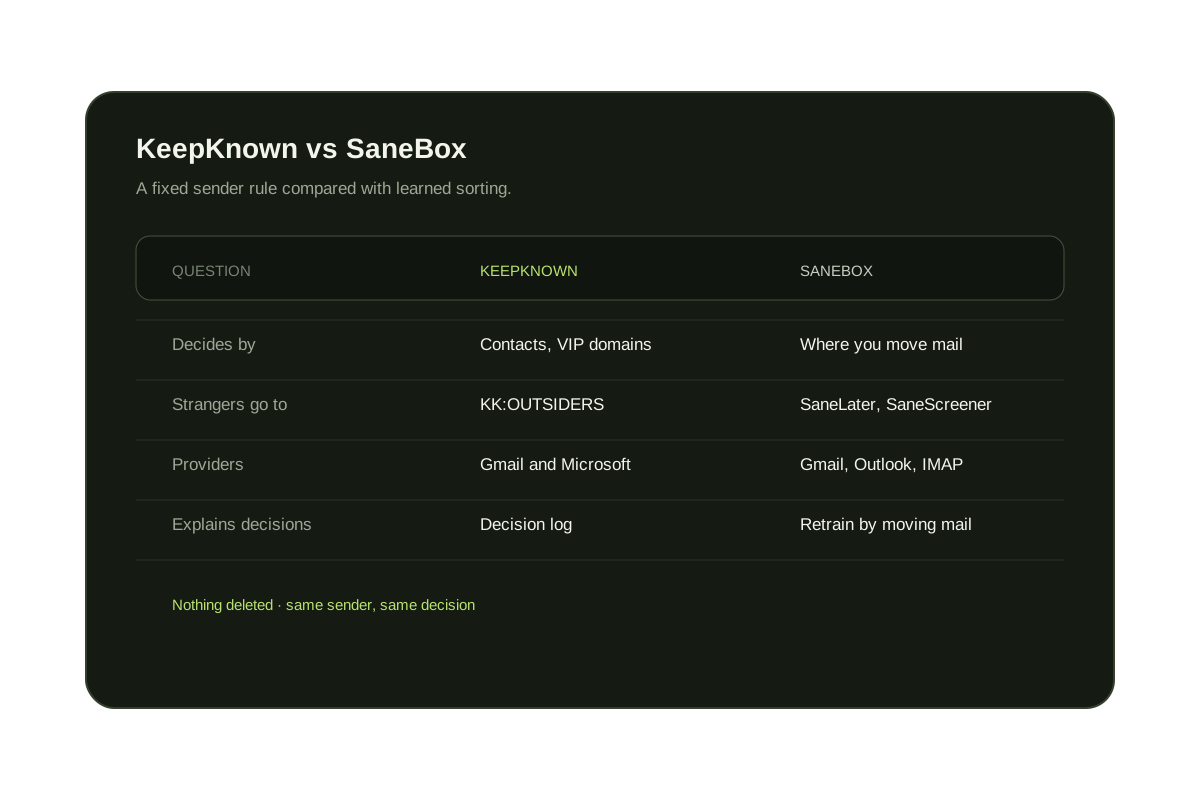
SaneBox watches where you move messages and learns which senders belong in your inbox. KeepKnown applies a rule you set: contacts, VIP domains, and people you have replied to stay in the inbox, and everyone else moves to KK:OUTSIDERS. SaneBox covers more providers and adds reminders; KeepKnown is built for stopping strangers and cold outreach in Gmail and Outlook, from $12.99 a month.
Last updated
This comparison is written by KeepKnown. SaneBox details come from SaneBox's own help center, including its SaneScreener guide, and its pricing page as of October 8, 2026. Both tools work inside your existing account rather than replacing your email app.
SaneBox creates folders such as SaneLater, SaneBlackHole, and SaneScreener and learns from where you move messages. KeepKnown checks each sender against who you already know and keeps a decision log, so you can see why any message moved.
Short answer
Pick by the problem you want solved.
Choose KeepKnown if strangers and cold outreach are the problem and you use Gmail, Google Workspace, Outlook, or Microsoft 365. Choose SaneBox if you want learned triage, snooze, and reminders across many providers.
KeepKnown vs SaneBox at a glance
| Question | KeepKnown | SaneBox |
|---|---|---|
| How decisions are made | Contacts, VIP domains, and people you have replied to | Learned from where you move messages |
| What happens to strangers | Moved to KK:OUTSIDERS, a label or category | Filed to folders such as SaneLater or SaneScreener |
| Email providers | Gmail, Google Workspace, Outlook, and Microsoft 365 | Gmail, Outlook, and any IMAP account |
| Explains each decision | Decision log for every routed message | Correct it by moving the message |
| Other features | Plain-English rule builder and previews before activation | Reminders, snooze folders, and digests |
| Price (checked October 8, 2026) | Founder $12.99/month or $99.99/year (1 inbox); Executive Pro $29.99/month or $229.99/year (up to 3 inboxes) | Snack, Lunch, and Dinner plans; cheaper billed yearly; see sanebox.com |
| Free option | Free Gmail audit of unknown senders | Free trial |
When each one is the better choice
KeepKnown
Public inboxes that attract pitches, recruiters, and vendors, where only people you know should interrupt you.
SaneBox
Mixed inboxes where importance is fuzzy and you want reminders and digests on any provider.
Both have limits
KeepKnown only supports Gmail and Microsoft accounts. SaneBox's results depend on training, so they shift as you correct it.
Try it on your inbox
See how many strangers KeepKnown would move.
The free audit counts senders outside your contacts using metadata only, without changing your inbox.
No inbox changes during the audit.
Questions before you connect.
Is KeepKnown better than SaneBox?
For keeping strangers and cold email out of Gmail or Outlook, KeepKnown's contact rule is more direct. For general triage, reminders, and other IMAP providers, SaneBox covers more ground.
How much does KeepKnown cost?
KeepKnown costs Founder $12.99/month or $99.99/year (1 inbox); Executive Pro $29.99/month or $229.99/year (up to 3 inboxes). Prices are in US dollars.
Does SaneBox have a screener for new senders?
Yes. SaneScreener moves a first-time sender's message to a SaneScreener folder, and you train SaneBox by moving the message to the inbox or elsewhere.
Do I need to train KeepKnown?
No. KeepKnown starts from your contacts, VIP domains, and past replies. You only approve genuinely new senders you want to hear from.
Can I switch from SaneBox to KeepKnown?
Yes. Turn off SaneBox's filtering folders first so two services are not moving the same messages, then connect your inbox to KeepKnown and preview the matches before activating.
KeepKnown vs SaneBox
A readable sender rule for Gmail and Outlook.