Honest comparison
Clean Email alternatives: clean the backlog or stop the next one?
Clean Email is built for cleaning up: bulk actions by sender, automatic cleanup rules, an unsubscriber, and a Premium Screener that holds new senders. If your real problem is strangers arriving every day in Gmail or Outlook, KeepKnown screens each sender against your contacts as mail arrives, from $12.99 a month. SaneBox, Spark, and HEY are compared below.
Last updated
We make KeepKnown, so treat this as a competitor's comparison. Clean Email details come from Clean Email's own pages, including its Screener guide: the free account cleans up to 1,000 emails, the 14-day Premium trial needs no card, Screener is a Premium feature, and Clean Email says it does not scan message content.
Clean Email is strong when you face years of clutter across several providers. KeepKnown is narrower: it keeps people you know in the inbox and moves everyone else to KK:OUTSIDERS, in Gmail, Google Workspace, Outlook, and Microsoft 365.
Short answer
Which Clean Email alternative fits?
Choose KeepKnown to stop strangers and cold outreach as they arrive in Gmail or Outlook. Choose SaneBox for learned triage, Spark or HEY for a new email app with screening, and stay with Clean Email for bulk cleanup across many providers.
Clean Email and alternatives at a glance
| Tool | Best at | New senders | Works with | Price (checked October 8, 2026) |
|---|---|---|---|---|
| Clean Email | Bulk cleanup, auto-clean rules, unsubscribing | Premium Screener quarantine | Gmail, Outlook, Yahoo, iCloud, AOL, Fastmail, IMAP | Free tier up to 1,000 emails; Premium with 14-day trial |
| KeepKnown | Keeping strangers out as mail arrives | KK:OUTSIDERS unless a contact, VIP domain, or past reply | Gmail, Google Workspace, Outlook, Microsoft 365 | Founder $12.99/month; Executive Pro $29.99/month |
| SaneBox | Learned triage, reminders, digests | Optional SaneScreener folder | Gmail, Outlook, IMAP | Snack, Lunch, and Dinner plans |
| Spark | An email app with a smart inbox | Gatekeeper accept or block | Most providers, in the Spark app | Spark Plus: $10/month or $99/year per user |
| HEY | A fresh inbox built around screening | The Screener | A HEY address; Gmail by forwarding | HEY for You: $99/year |
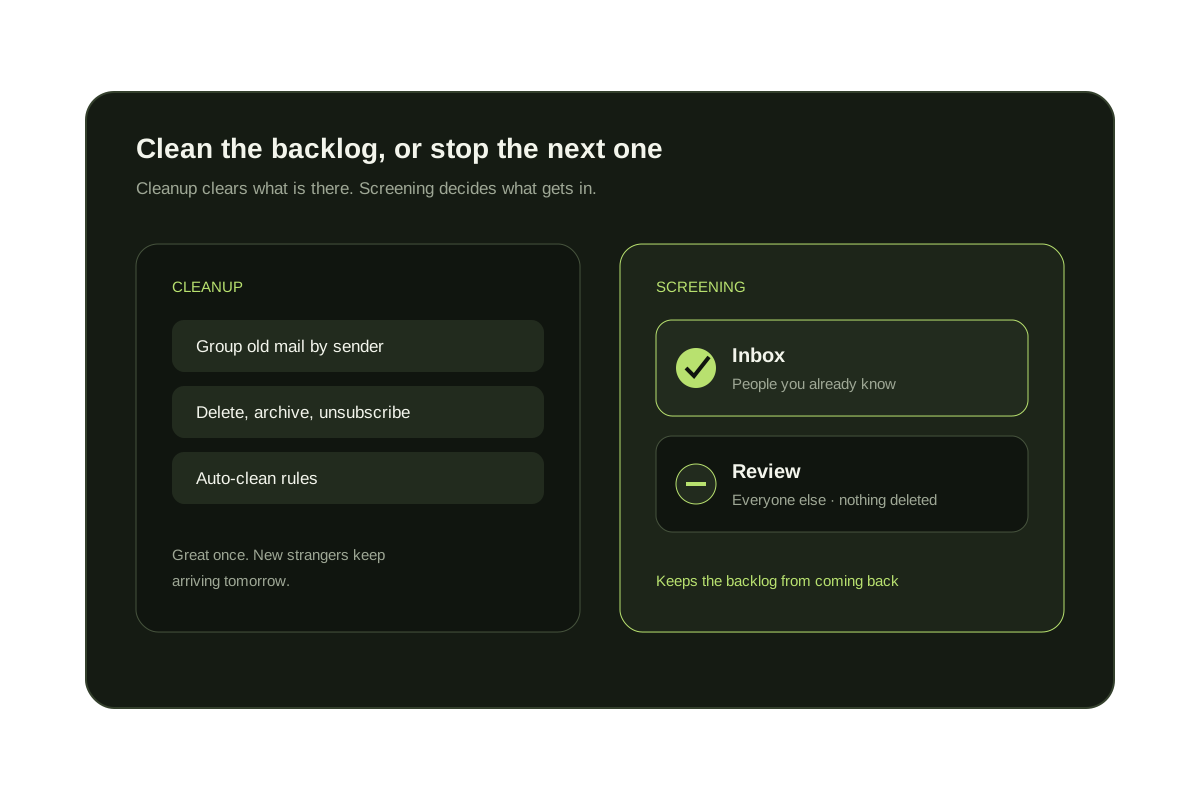
Cleanup and screening solve different problems
Cleanup
Deletes, archives, or unsubscribes from mail you already have. Great once; the backlog can return.
Screening
Decides who reaches the inbox from now on, so new strangers wait in review instead of piling up.
Using both
Clean the backlog once with a cleanup tool, then keep a screener running so it doesn't come back.
Measure the problem first
Count the strangers reaching your inbox each week.
The free audit counts senders outside your contacts using metadata only. It changes nothing.
No inbox changes during the audit.
Questions before you connect.
What is the best Clean Email alternative?
For stopping strangers and cold outreach in Gmail or Outlook, KeepKnown. For learned triage, SaneBox. For a new email app with screening, Spark or HEY. For bulk cleanup across many providers, Clean Email itself is hard to beat.
Does Clean Email have a screener?
Yes. Clean Email's Premium Screener holds mail from senders who have never written to you until you approve or block them.
Is Clean Email free?
Clean Email has a free account that cleans up to 1,000 emails and a 14-day Premium trial without a card. Screener and other Premium features need a paid plan.
How much does KeepKnown cost?
KeepKnown costs Founder $12.99/month or $99.99/year (1 inbox); Executive Pro $29.99/month or $229.99/year (up to 3 inboxes).
Does KeepKnown delete or unsubscribe from mail?
No. KeepKnown's screening moves unknown senders to KK:OUTSIDERS and deletes nothing. Use a cleanup tool if you want bulk deletion.
Clean Email alternative
Stop the backlog before it starts: screen new senders.