Build the exact match.
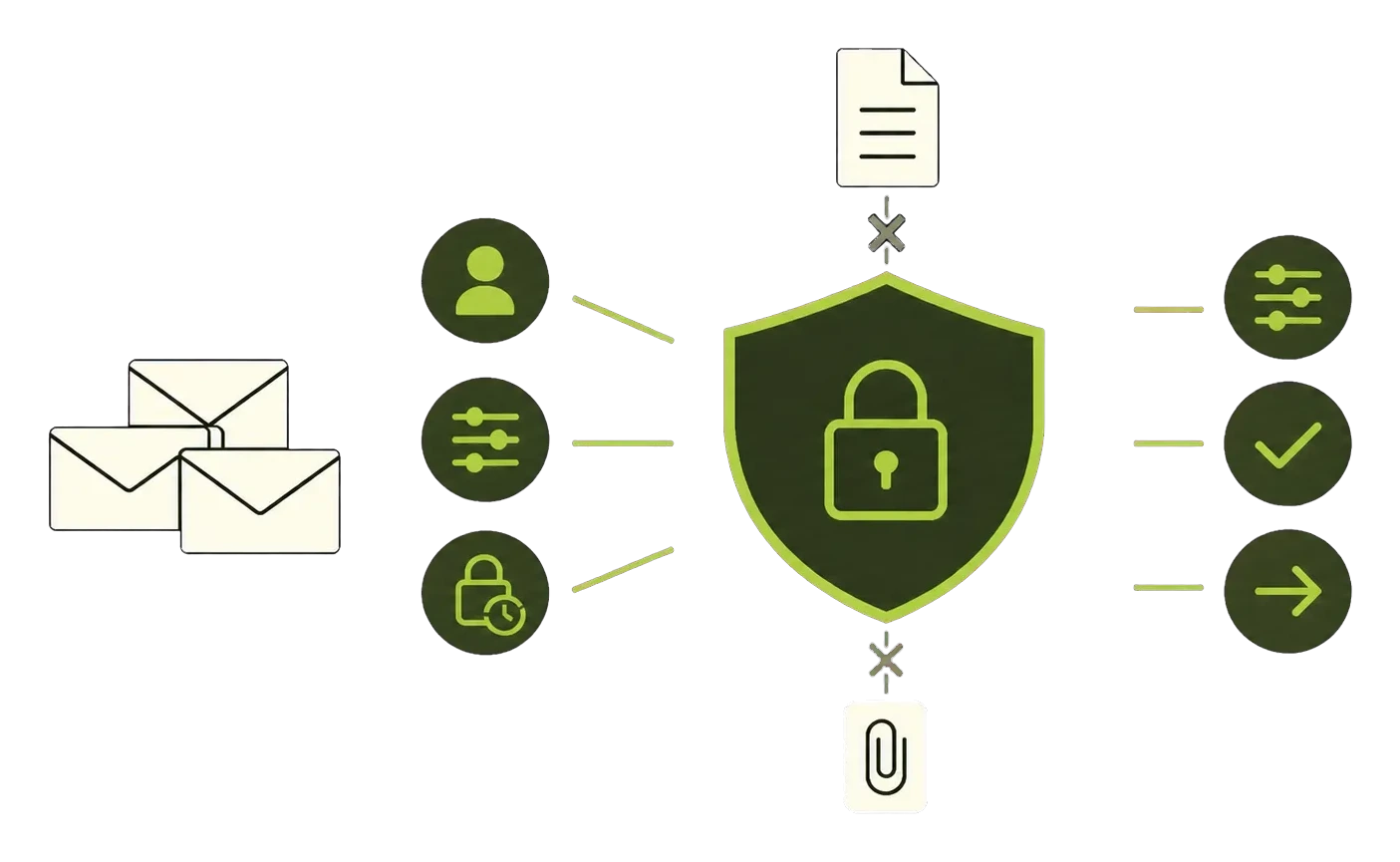
Combine sender, contact, domain, subject, header, history, and mailbox signals with nested all, any, and exception logic.
- Unknown sender
- Saved contact
- Replied before
- Newsletter
- Has attachment
Create richer rules, test them on real mail, and see why every message moved. Works with Gmail and Outlook.

Verified connections and security assessment



KeepKnown gives filters a builder, a test bench, and a decision log.
Combine sender, contact, domain, subject, header, history, and mailbox signals with nested all, any, and exception logic.
Filter by contacts, approved domains, people you replied to, VIPs, and your own sender groups.
Keep, move, label, prioritize, hold for review, or add matching mail to a digest.
Start with a useful rule, see exactly what it does, then make it yours.
Contacts, approved domains, and prior replies stay in your inbox.
Build this filterNew senders with critical subjects enter Priority Review.
Build this filterNewsletter mail goes to Reading Later and a weekly digest.
Build this filterA previous rescue triggers a sender or domain approval suggestion.
Build this filterRepeated unknown senders move to Outsiders automatically.
Build this filterKeepKnown helps you design, test, run, and debug the whole system.
Every new filter starts paused. You decide when it is ready.
Link Gmail, Google Workspace, Outlook, or Microsoft 365.
Write the rule in plain English or compose it condition by condition.
Preview real matches, choose a safe mode, and turn it on when ready.
Core filters use sender, domain, headers, encrypted subject text, local history, and your decisions. They do not read email bodies.
Set the rule once. Let KeepKnown handle the repeat decisions.
“We used to waste so much time sorting through junk mail. Now it is clean, efficient, and stress-free.”
 Taylor W.Founder, NAPCO Pump Company
“KeepKnown works quietly in the background, saving me hours of distraction. I do not know how anyone manages without it.”
 Paul N.CEO, Intuitive
Every paid plan includes the full filter builder, safe previews, and decision history.
973,000 emails filteredRun a free Gmail audit. No card and no inbox changes.
One inbox with the full filter builder.
Up to three inboxes for one power user or a small team.
Central filter management, rollout help, and priority escalation for 5 or more inboxes.
7-day trial. Add a card after connecting your inbox. 30-day money-back guarantee.
Short answers to the questions that matter.
KeepKnown adds relationship-aware signals, nested logic, templates, safe activation modes, digests, review queues, and a decision log around each filter.
An Inbox Protocol is a saved KeepKnown filter. It defines what to match, what to do, and when the rule is active.
Core filters do not read email bodies. They use sender and domain information, headers, encrypted subject text, local history, and your decisions.
Yes. New filters save paused. Preview recent mail, observe in Shadow, or send decisions to Review Only before supported actions are enforced.
KeepKnown supports Gmail, Google Workspace, Outlook, and Microsoft 365. Exact enforcement actions depend on provider capabilities.
Practical guidance for building quieter, safer inboxes in Gmail and Outlook.
 Google Workspace vs Microsoft 365: 2026 Team Fit Guide
Google workspace vs microsoft 365 - Compare Google Workspace and Microsoft 365 in 2026 to find the right collaboration suite for your team's size, …
Read article
Google Workspace vs Microsoft 365: 2026 Team Fit Guide
Google workspace vs microsoft 365 - Compare Google Workspace and Microsoft 365 in 2026 to find the right collaboration suite for your team's size, …
Read article
 How to Manage Multiple Email Accounts with Less Stress
Learn how to manage multiple email accounts across Gmail, Outlook, and Microsoft 365 with clear workflows, filters, and practical consolidation tips.
Read article
How to Manage Multiple Email Accounts with Less Stress
Learn how to manage multiple email accounts across Gmail, Outlook, and Microsoft 365 with clear workflows, filters, and practical consolidation tips.
Read article
 Email Security for Business: A Practical Guide
A practical guide to email security for business covering phishing, BEC, SPF/DKIM/DMARC, gateway filters, rollout steps, and incident response playbooks.
Read article
Email Security for Business: A Practical Guide
A practical guide to email security for business covering phishing, BEC, SPF/DKIM/DMARC, gateway filters, rollout steps, and incident response playbooks.
Read article
Practical Gmail and Outlook guides, with the native setup explained first.