HEY Screener alternative
HEY's Screener for Gmail: how to get it without leaving Gmail.
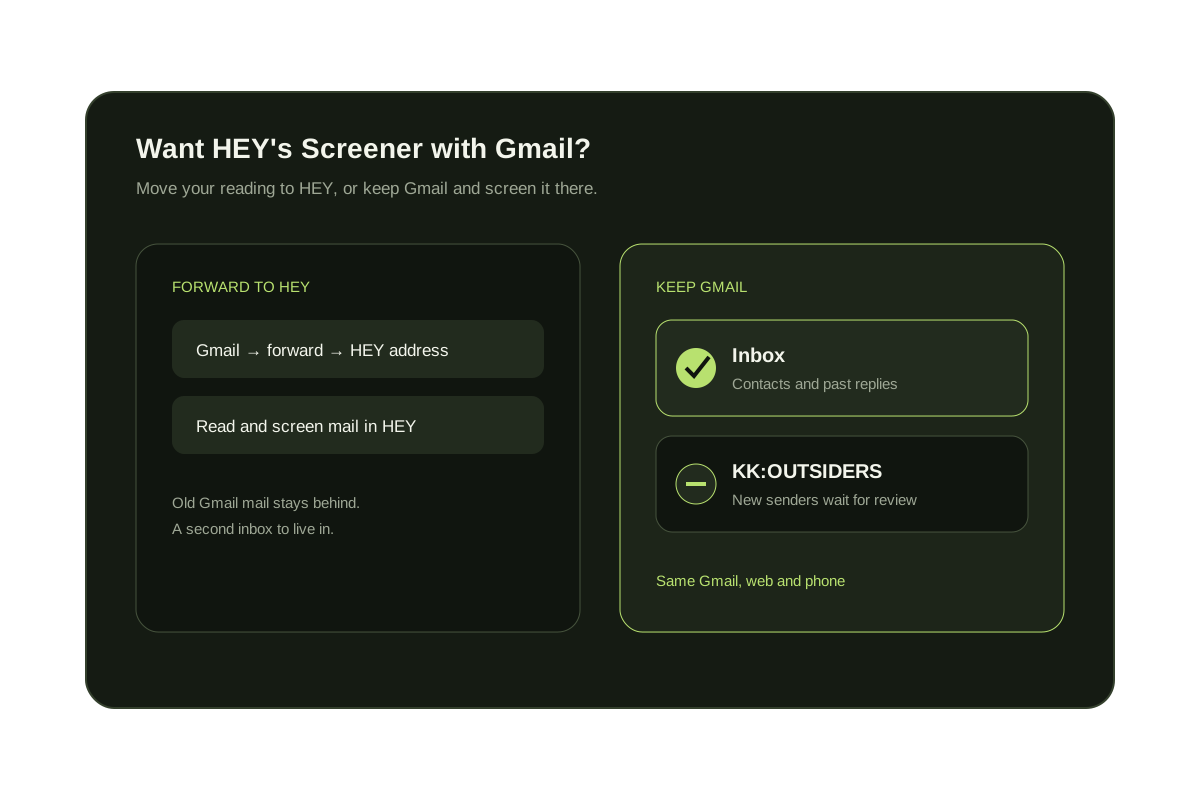
HEY's Screener only works inside HEY. To use it with Gmail you forward your mail to a HEY address and read it in HEY, which costs $99 a year for HEY for You. To keep Gmail, add a screener that runs on your Gmail account: KeepKnown holds mail from anyone not in your contacts in a KK:OUTSIDERS label, and Spark's Gatekeeper screens new senders in the Spark app.
Last updated
HEY's Screener asks you once whether you want to hear from each new sender. People you approve reach the Imbox; people you screen out don't, and they are not told. Adding someone to your HEY contacts lets them skip the Screener.
HEY can receive your Gmail by forwarding and can send as your Gmail address, but you then read and screen mail in HEY, and HEY does not import the mail already in Gmail. If you want to stay in Gmail, the screener has to work on the Gmail account itself.
Short answer
There is no HEY Screener inside Gmail.
Either move your reading to HEY by forwarding Gmail there, or keep Gmail and add a screener that works on your account. KeepKnown screens senders against your Google Contacts and keeps everything in Gmail.
HEY vs keeping Gmail with a screener
| Option | Keep reading in Gmail? | How new senders are handled | Price (checked October 8, 2026) |
|---|---|---|---|
| HEY with Gmail forwarding | No, you read mail in HEY | First-time senders wait in The Screener | HEY for You: $99/year, 30-day free trial |
| KeepKnown | Yes | Anyone not in contacts, VIP domains, or past replies goes to KK:OUTSIDERS | Founder $12.99/month or $99.99/year |
| Spark Gatekeeper | No, you read mail in the Spark app | Accept or block each new sender | Spark Plus: $10/month or $99/year per user |
| Gmail filters only | Yes | Cannot tell a new sender from a known one | Free |
Option 1: forward Gmail to HEY
- In HEY, select your avatar, then Account Setup, Forwarding & Sending, and Connect an address, and enter your Gmail address.
- In Gmail settings, open Forwarding and POP/IMAP and add your HEY address.
- Open the verification email Gmail sends to HEY and confirm it.
- Back in Gmail, choose Forward a copy of incoming mail to your HEY address and save. Old Gmail messages stay in Gmail.
Option 2: keep Gmail and screen with KeepKnown
- Run the free audit to count senders who are not in your contacts.
- Connect Gmail or Google Workspace with Google authorization.
- Choose who counts as known: Google Contacts, VIP domains, and people you have replied to.
- Preview recent matches, then turn screening on.
- Check KK:OUTSIDERS when it suits you and approve senders once.
Keep your inbox where it is
Get Screener-style screening in Gmail.
Known people reach the inbox. New senders wait in KK:OUTSIDERS, and nothing is deleted or bounced.
The audit is free and changes nothing.
Questions before you connect.
Is there a HEY Screener for Gmail?
Not inside Gmail. HEY's Screener works in HEY, so Gmail users either forward their mail to HEY or add a Gmail screener such as KeepKnown.
Can I use HEY with my Gmail address?
Yes, by forwarding Gmail to your HEY address and signing in to Google so HEY can send as your Gmail address. You then read and screen mail in HEY.
Does HEY import my existing Gmail?
No. HEY does not import mail from Gmail. Forwarding only brings in new messages, so your history stays in Gmail.
How much does HEY cost?
HEY's pricing page lists HEY for You at $99 a year with a 30-day free trial, and HEY for Domains at $12 per user per month.
How is KeepKnown different from HEY's Screener?
HEY asks about every first-time sender inside its own app. KeepKnown works on your Gmail or Outlook account and lets contacts, VIP domains, and people you have replied to through automatically, so you only review genuinely new senders.
Screener for Gmail
Screen first-time senders without leaving Gmail.