Important unanswered email search
Find important unanswered emails in Gmail and Outlook.
Use sender, unread, starred, important, and date searches to find messages that still need a reply. Then reduce future misses by screening unknown senders.
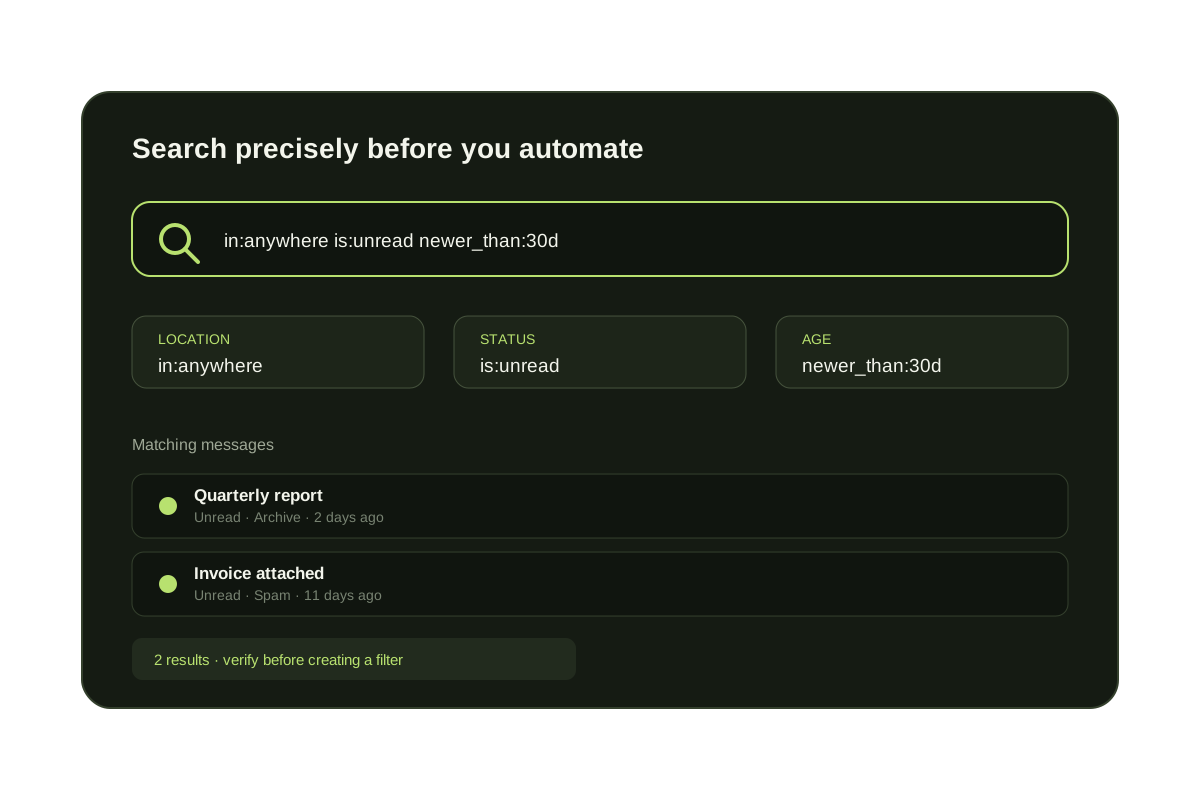
Gmail and Outlook do not have a universal search operator that proves a message is unanswered. Start with unread, important, sender, and date searches to build a review queue, then inspect the conversation for your latest sent reply.
This is a triage workflow rather than a perfect detector: a read message may still need a response, and an unread message may need no action. Keep the search bounded by time or sender, and use stars, flags, or a follow-up label to record the decision you make during review.
Important limitation
Search can find candidates, not prove a missing reply.
Use search to assemble likely follow-ups. Confirm each thread by checking whether the most recent meaningful message came from the other person and whether you already replied elsewhere.
Gmail searches for unanswered mail
is:unread older_than:2d
Unread messages that may have been sitting too long.
is:important is:unread
Unread messages Gmail marks important.
from:client@example.com newer_than:30d
Recent messages from one important sender.
in:anywhere is:unread
Hidden unread messages outside the visible inbox.
A practical follow-up review
| Signal | What it tells you | What it cannot prove |
|---|---|---|
| is:unread | You have not marked the message read | That a reply is required |
| is:important or is:starred | Gmail or you marked the message as notable | That the sender is waiting for you |
| older_than:2d | The message has aged beyond your review window | That no response was sent from another client |
| from:client@example.com | The conversation involves a priority sender | Which participant sent the latest meaningful reply |
Turn search results into a reliable follow-up queue
- {'body': 'Start with a priority sender, an unread state, or a recent date range.', 'heading': 'Choose a bounded search'}
- {'body': 'Confirm who sent the latest message and whether a response is still expected.', 'heading': 'Inspect the full thread'}
- {'body': 'Star, flag, label, snooze, or schedule the thread instead of relying on memory.', 'heading': 'Record the next action'}
- {'body': 'Separate predictable outsider traffic so priority conversations stay visible.', 'heading': 'Reduce new inbox noise'}
Questions before you connect.
How do I find unanswered emails in Gmail?
Start with is:unread, is:important, sender, and date searches. Use in:anywhere is:unread when the unread count does not match the inbox.
Unanswered email cleanup
Find missed mail, then reduce new unknown-sender clutter.